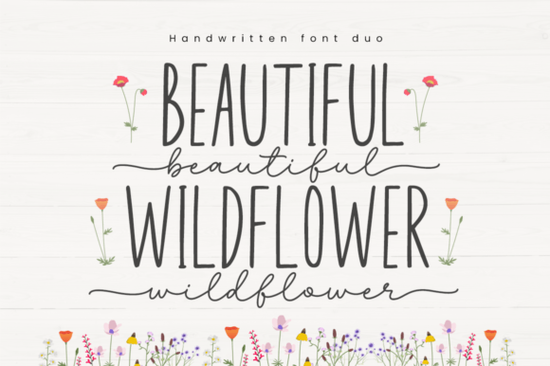
Finding the right typeface for spring projects can be tricky when you want something cheerful but still readable. You need a style that adds personality without overwhelming the design. The Beautiful Wildflower Duo Font fits this need well. It comes with two distinct styles designed to complement each other perfectly. Whether you use them together or apart, these fonts provide a stylish touch for various crafts. Because it is PUA encoded, you can access all the glyphs and swashes easily without needing special software.
What makes this duo different from single scripts?
Many designers struggle with pairing fonts that clash. This product solves that problem by providing a pre-matched pair. One font usually acts as the bold statement piece, while the other supports it with cleaner lines. This balance is essential for creating professional-looking logos or invitations. When you download this package, you aren't just getting one file; you are getting a complete typographic system. This saves time during the creative process because you don't have to hunt for a secondary font that matches the weight and mood.
Using a duo system also helps maintain consistency across different materials. For example, if you are making a set of wedding invitations, you can use the script for the names and the complementary font for the details. This ensures the entire suite looks cohesive. It is particularly useful for small business owners who need to create branded content quickly. Instead of experimenting with dozens of combinations, you have a reliable pair ready to go.
How do I access the special characters and swashes?
The term PUA stands for Private Use Area. In simpler terms, this means the extra decorative elements are built directly into the font file. You do not need to install separate glyph files or use complex keyboard shortcuts. To use these features, you simply open your character map in Windows or the Font Book on Mac. From there, you can copy and paste the specific swashes or alternate letters directly into your design software.
This feature is a huge time-saver for crafters using cutting machines. When you are preparing files for vinyl cutters or sublimation, having easy access to alternates allows for unique customization. You can swap out a standard "a" for a flourished version with a single click. This level of control helps your designs stand out from generic templates. It also reduces frustration for beginners who might find traditional OpenType features confusing to navigate.
What projects work best with this style?
This typeface shines in projects that require a friendly and organic feel. It is an excellent choice for print-on-demand sellers creating apparel for the spring season. The cheerful nature of the letters looks great on t-shirts, tote bags, and mugs. Because the fonts are designed to be stylish, they also work well for social media graphics. You can use them to create quotes or promotional posts that feel personal and inviting.
Paper crafters will also find this useful for scrapbooking and card making. The swashes allow you to create elegant frames or dividers within your layouts. If you are planning a party, these fonts are suitable for banners and cupcake toppers. The readability ensures that guests can understand the text even from a distance. For digital planners, the handwriting style adds a human touch to otherwise rigid templates.
Where can I find similar typefaces for variety?
While this duo is versatile, expanding your library gives you more creative freedom. If you enjoy fresh and vibrant styles, you might explore other Monday script styles that offer a similar energy. For those who love journaling, looking into large handwriting bundles can provide dozens of options for different pages. It is helpful to have a range of weights and slopes in your collection.
If you prefer a more signature-based look, consider browsing Southine design styles for inspiration. These often mimic personal handwriting, which is great for branding. For logos that need to look like a real sign-off, signature autography tools are worth investigating. Finally, if you need something slightly more structured but still artistic, check out Smithson type options. Mixing these different resources allows you to create unique combinations for every client.
Quick checklist before you start designing
Before you finalize your project, run through these simple steps to ensure the best results. First, install both font files from the duo package on your computer. Next, open your character map to identify your favorite swashes and alternates. Test the legibility by printing a sample at the actual size you intend to use. If you are using a cutting machine, weld the letters to prevent separation during the cut process.
- Check licensing: Ensure your usage fits the commercial or personal license included.
- Test contrasts: Verify that the text stands out against your background color.
- Save versions: Keep a version with standard letters and one with swashes for flexibility.
- Pair wisely: Use the complementary font for body text to maintain readability.
Taking these small precautions helps avoid common pitfalls like unreadable text or licensing issues. With the right preparation, you can focus on the creative aspects of your work. This font pair provides a solid foundation for many different types of projects. By understanding how to access the glyphs and where to apply the styles, you maximize the value of your purchase.
Get Started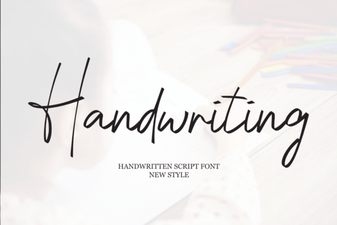 Handwriting Fonts for Authentic Design Projects
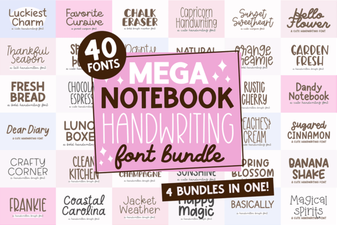 Creative Handwriting Font Bundle for Notebook Designs
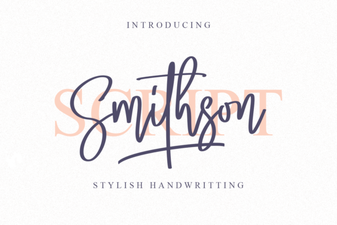 Smithson Font: Your Creative Typography Toolkit
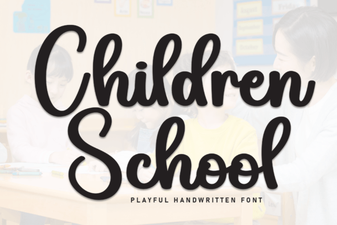 Kid-Friendly Fonts for Educational Design
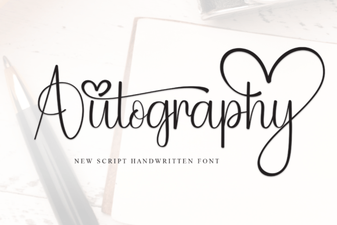 Autography Font: Personalize Your Design Projects
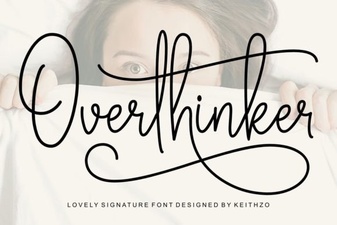 Find the Perfect Font for Overthinkers