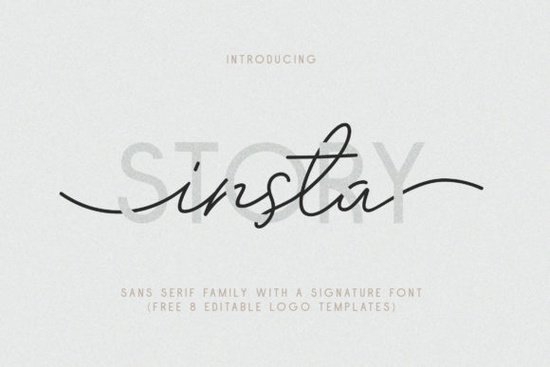
Finding the right typeface pairing often takes hours of trial and error. You want a clean base for body text and something unique for headlines, but making them work together can be tricky. The Insta Story Duo Font solves this by providing a matched set ready for immediate use. This collection combines a versatile sans serif family with a natural signature script, giving you contrast without the guesswork. Whether you are building a brand identity or creating social media graphics, having a coordinated duo simplifies the design process significantly.
What styles are included in the package?
This collection is extensive, offering ten distinct sans serif styles alongside a signature script. You receive thin, regular, and bold weights, each available in standard and italic variants. Additionally, there are outline versions in regular and bold, which add texture to your layouts without needing complex effects in your design software. The inclusion of a signature font adds a human touch, making it ideal for logos or personal signatures on digital cards. Having this range allows you to establish a clear visual hierarchy. You can use the thin weights for subtle details and the bold options for strong headlines. If you are looking for more clean sans serif options to compare against, this package holds its own with its variety.
How do the logo templates save time?
Beyond the fonts themselves, the bundle includes eight editable logo templates in AI, EPS, and PSD formats. For small business owners or freelancers who need a quick start, these files are invaluable. You do not need to build a mark from scratch. Instead, you can open the file, swap in your business name using the provided fonts, and adjust the colors to match your brand palette. This feature is particularly useful for those who understand branding but lack advanced illustration skills. It supports contemporary branding styles that require a mix of modern cleanliness and personal flair. By starting with a template, you ensure proper spacing and alignment, which are often the hardest parts of logo design for beginners.
Is it compatible with cutting machines?
Technical compatibility is a major concern for crafters using Cricut or Silhouette machines. This font family features PUA (Private Use Area) encoding. This means all glyphs, including special characters and swashes, are accessible without needing additional design software or workarounds. You can access the full range of characters directly through your character map or design app. The package also supports multilingual characters, covering various European languages with accents like À, Ç, Ñ, and Ü. This ensures your message can reach a global audience without missing letters. For crafters interested in printing on apparel, the outline and bold styles transfer well to heat press vinyl, ensuring clean edges and readable text on fabric.
Where can you apply this typography?
The versatility of this duo extends across print and digital media. The sans serif styles are legible enough for newspapers or magazines, while the signature font works well for watermarks to protect your intellectual property. Social media designers can use the bold italic styles for story highlights or post headers. Because the files come in both TTF and OTF formats, they install easily on Windows and Mac systems. You might use the regular weight for business cards and the script for greeting cards. The natural look of the signature font avoids the overly polished feel of standard scripts, making it suitable for organic brands or handmade product labels. Consistency is key in branding, and using the same family across different mediums strengthens recognition.
Quick Design Checklist
- Check Licensing: Verify if your project requires a commercial license before selling physical end products.
- Test Kerning: Adjust spacing between letters in the logo templates to ensure optimal readability at small sizes.
- Use Outlines: Convert text to outlines before sending files to print to avoid font substitution issues.
- Explore Swashes: Try the alternate characters in the signature font to find a unique look for your initials.
- Backup Files: Save the original template files separately before editing to preserve the base design.
Start by installing the thin and regular weights first to see how they look on your screen. Then, experiment with the outline styles for a different visual impact. If you need a specific weight for a headline, test the bold italic to see if it adds enough emphasis without looking too heavy. Taking these small steps ensures you get the most value from the collection.
Explore Design Craft Hoodie Lettering: Creative Font Designs
 Modern Heritage Fonts: Design and Usability Guide
 Handwriting Fonts for Authentic Design Projects
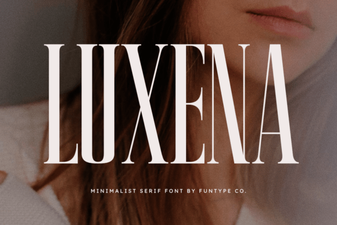 Luxena Font: Elegant Typography for Design Projects
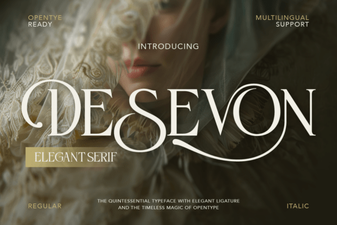 Desevon Font: Creative Typography for Modern Design
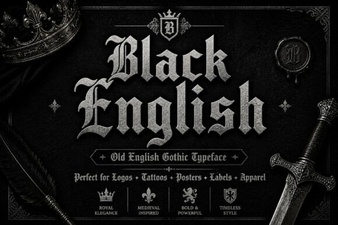 Crafting Creative Designs with Black English Fonts