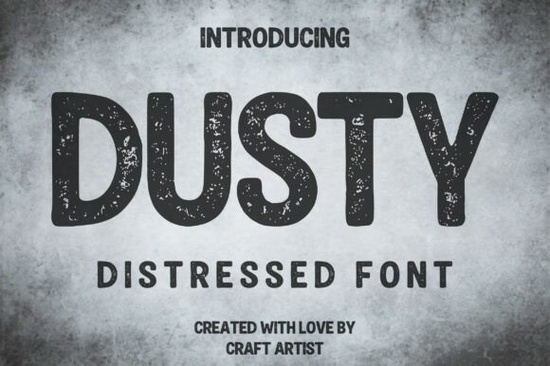
If you are looking for a typeface that feels lived-in, you need something with real character. The Dusty Font is designed exactly for this purpose. It brings a heavy, integrated distressed texture that feels authentic rather than digitally slapped on. Whether you are making labels for a local brew or graphics for an adventure brand, this tool helps you achieve that weathered look without spending hours editing textures in Photoshop. Designers often struggle to find bold lettering that remains readable while showing signs of age, and this option balances grit with clarity.
Why choose a textured typeface for branding?
Authenticity is a major factor in modern design. Customers often connect better with brands that feel handmade or established. A clean, vector-perfect font can sometimes feel too sterile for specific niches like craft coffee or outdoor gear. Using a rugged display typeface adds a layer of history to the visual identity. The noise and speckling within the letterforms give it a genuine stamp or screen-printed aesthetic. This suggests that the product has been around for a while, building trust through visual cues.
When you apply this style to logos, it reduces the need for additional grunge overlays. The texture is built into the glyphs, saving time during the design process. You can place the text directly over solid colors or simple backgrounds, and it will still carry that worn vibe. This is particularly useful for print-on-demand sellers who need efficient workflows. Instead of layering multiple effects in your editing software, the font does the heavy lifting for you.
What projects work best with this style?
This bold, all-caps distressed font has a slightly rounded, block-like structure that ensures excellent readability. Because of this structure, it works well in situations where the text needs to be seen from a distance. Rustic signage is a perfect example. If you are designing a wooden sign for a shop or a event, the rough texture mimics the natural imperfections of the material.
Vintage t-shirt designs also benefit from this approach. Direct-to-garment printing can sometimes look too sharp. Using a typeface with intentional wear-and-tear helps the print blend into the fabric, looking like a favorite shirt found in a thrift store. Beyond apparel, consider grunge music album art. The industrial feel matches the energy of rock or metal genres. You might also use it for custom graphics for outdoor and adventure apparel, where durability and roughness are key themes.
If you want to contrast this rugged look with something softer, you might explore rounded display options for secondary text. Pairing a heavy, weathered header with a cleaner subheader creates visual hierarchy. For example, if your main title uses the distressed style, your supporting text could use neater preppy alternatives to keep the information legible. This contrast prevents the design from becoming too chaotic.
How do you balance grit with readability?
While texture adds mood, it can sometimes hinder communication if overused. The key is to reserve this typeface for titles and headlines rather than body copy. Long paragraphs in a distressed style are difficult to read. Keep the main message short and impactful. Ensure there is enough contrast between the text color and the background. White or off-white text on a dark background usually works best for this specific aesthetic.
Spacing is another critical factor. Because the letters have rough edges, kerning them too tightly can make them blend into an unreadable blob. Give the characters a little breathing room. This helps the eye distinguish each letter despite the noise inside the shapes. If you are working on sports-related designs, you might compare this style against classic athletic types to see which fits the team spirit better. Varsity fonts are clean and sharp, while this option is rough and organic.
What are the best pairing options?
Choosing complementary fonts is essential for a polished look. Since the primary font is heavy and textured, your secondary font should be simple. A basic sans-serif works well for details like dates, locations, or ingredient lists. You can also experiment with color. While distressed fonts often look good in monochrome, adding color can make them pop. For a more vibrant look, consider how cheerful bright lettering might influence your color palette choices elsewhere in the design.
For projects that require a stronger, more structured feel, you might look at bold military styles for inspiration on weight and proportion. Even if you stick with the distressed option, understanding how strong structures work helps you align your layout properly. The goal is to make sure the design feels intentional, not just messy. The roughness should look like a stylistic choice, not an error.
Design Checklist for Distressed Typography
- Check Legibility: Step back from your screen to ensure the text is readable from a distance.
- Limit Usage: Use the font for headlines only, not for long paragraphs of text.
- Adjust Kerning: Increase space between letters to prevent the texture from merging characters.
- Test Backgrounds: Try the font on both light and dark backgrounds to see where the texture stands out most.
- Keep it Simple: Avoid adding extra grunge overlays since the font already has built-in texture.
Start by downloading the file and installing it on your system. Open your design software and type out your main headline. Experiment with different sizes to see where the distress details look most natural. Remember that the goal is to evoke a sense of age and authenticity. If the design feels too clean, you might need to increase the font size to let the texture show. If it feels too messy, simplify the background. With these steps, you can create professional-looking graphics that resonate with audiences looking for something real.
Explore Design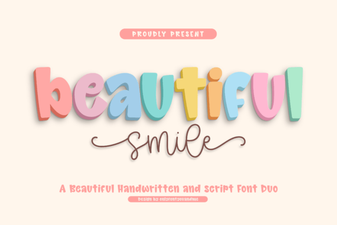 Font Styles for a Beautiful & Creative Typographic Smile
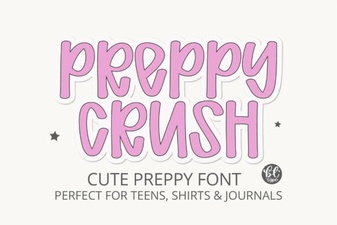 Preppycrush Font for Bold Graphic Designs
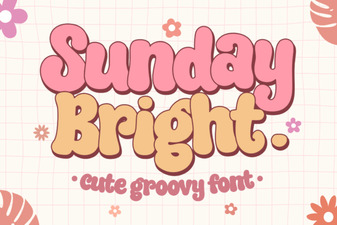 Sunday Bright: Bold & Cheerful Typography Projects
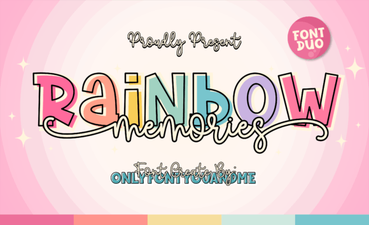 Rainbow Memories Font for Design Projects
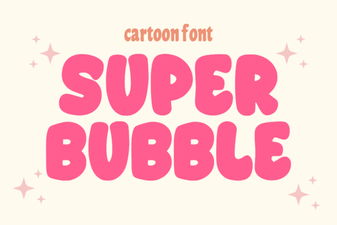 Super Bubble Fonts: Creative Typography for Designers
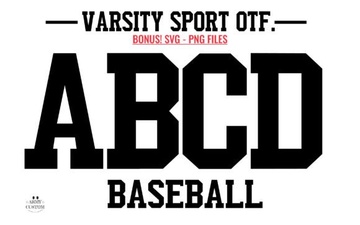 Designing Military-Style Fonts for Sports Branding