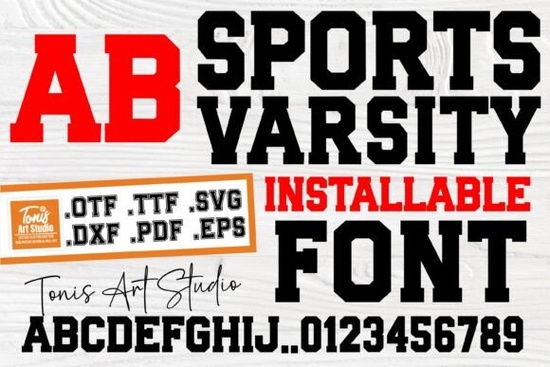
Designing team apparel or spirit gear requires a typeface that immediately communicates energy and tradition. When you need that classic college look, the Sports Varsity Font provides the bold structure necessary for jerseys, decals, and banners. This typeface mimics the traditional block letters seen on university jackets and high school uniforms, making it a reliable choice for creators working on athletic-themed projects. Whether you are a small business owner selling custom merchandise or a hobbyist making gear for a local league, having the right typography sets the tone before anyone even reads the text.
The appeal of this style lies in its readability and strong presence. Unlike script or handwritten fonts, varsity lettering stands out clearly from a distance. This makes it ideal for heat transfer vinyl (HTV) projects where clean lines are essential for cutting machines. You can easily layer these letters over stripes or patches without losing legibility. For designers managing multiple client requests, this font saves time because it requires minimal adjustment to look professional.
What projects work best with this typeface?
Most users download this font specifically for sports-related items, but its utility goes beyond just team uniforms. You can create personalized water bottles, gym bags, and locker signs that maintain a cohesive theme. Parents often use this style for birthday parties centered around baseball, football, or soccer. The bold numbers included in the set allow you to add player IDs or ages seamlessly. If you are running a print-on-demand store, this typeface fits well on t-shirts and hoodies aimed at alumni or fans.
Sometimes, a strict athletic look feels too serious for younger children. If you are designing for a kids' league or a fun run event, you might want to soften the design. Pairing the main letters with a friendly typeface can make the final product feel more welcoming. This combination keeps the sporty vibe while adding a touch of warmth that appeals to parents and younger participants. It helps balance the toughness of the block letters with something more approachable.
How do you mix styles for scrapbook pages?
Crafters working on memory books often need to combine different textures to tell a story. A game day layout might use the varsity style for the title, but you will need complementary fonts for journaling or captions. For pages highlighting colorful moments or victory celebrations, integrating colorful scrapbook styles adds variety without clashing. This approach keeps the page dynamic and prevents the heavy block letters from overwhelming the photos.
Vintage aesthetics are also popular in sports memorabilia. If you are recreating a retro look for an anniversary gift or a historic team poster, consider adding texture. Using a worn, vintage effects font alongside the clean varsity letters can simulate an aged, classic feel. This works particularly well for designs printed on kraft paper or distressed wood signs. It gives the impression of history and tradition, which aligns perfectly with the spirit of college sports.
Can you use this for playful designs?
While the primary function is athletic, there is room for creativity. Not every project needs to look like a uniform. For community events or fun fundraisers, you might want something less rigid. Swapping out some elements for a more playful alternatives can lighten the mood. This is useful when the goal is participation rather than competition. It allows you to keep the theme recognizable while ensuring the design feels inclusive and fun.
Accent shapes are another way to modify the look. If the block letters feel too sharp for a specific background, adding rounded, bold shapes as borders or highlights can soften the edges. This technique is helpful for stickers or decals intended for water bottles and laptops. It maintains the weight of the design but makes it feel more modern and less aggressive. Understanding how to layer these styles gives you more flexibility in your creative workflow.
What file formats are included?
When downloading design assets, compatibility with your software is crucial. This font typically comes in OTF and TTF formats, which work with standard programs like Adobe Illustrator, Photoshop, and Canva. For those using cutting machines like Cricut or Silhouette, the font installs directly into your system fonts, allowing you to type and cut immediately. Some packages may also include SVG files, which are useful for users who prefer dragging and dropping pre-made shapes into their design space.
Installation is straightforward on both Windows and Mac systems. Once installed, the font appears in your text menu under its specific name. It is recommended to restart your design software after installation to ensure it loads correctly. If you encounter issues, checking the included readme file often provides specific troubleshooting steps for your operating system.
Is commercial use allowed?
Most fonts on Creative Fabrica come with a license that permits commercial use, but you should always verify the specific terms. Generally, you can use this typeface to create physical products for sale, such as printed shirts or mugs. However, you cannot redistribute the font file itself. For print-on-demand sellers, this means you can embed the design in your product mockups, but the customer cannot download the font. Understanding these boundaries protects your business and respects the creator's rights.
For more context on typography styles, you can review general block letter history to understand the origins of this design. Knowing the background helps you make informed decisions about when and where to apply the style effectively.
Project Checklist
- Verify the license terms before selling physical products.
- Install the font file and restart your design software.
- Test cut a small sample on your vinyl material to check weeding.
- Pair with softer fonts if designing for children's events.
- Use high-contrast colors to ensure readability on apparel.
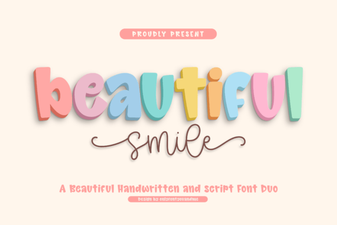 Font Styles for a Beautiful & Creative Typographic Smile
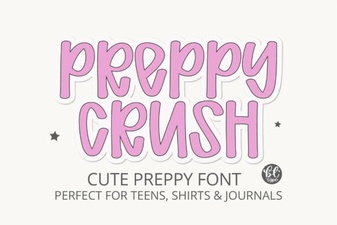 Preppycrush Font for Bold Graphic Designs
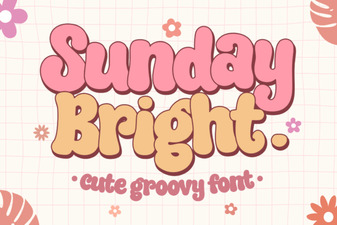 Sunday Bright: Bold & Cheerful Typography Projects
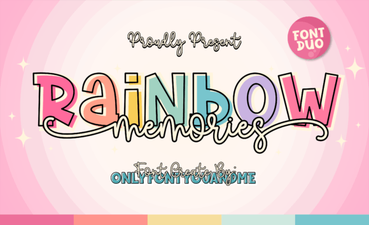 Rainbow Memories Font for Design Projects
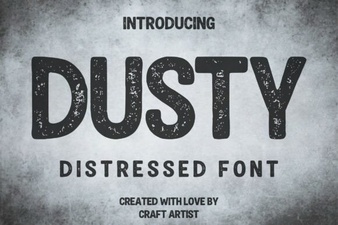 Fonts That Feel: Using Dusty for Your Design Projects
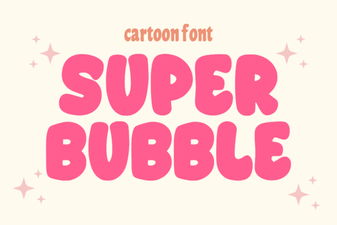 Super Bubble Fonts: Creative Typography for Designers