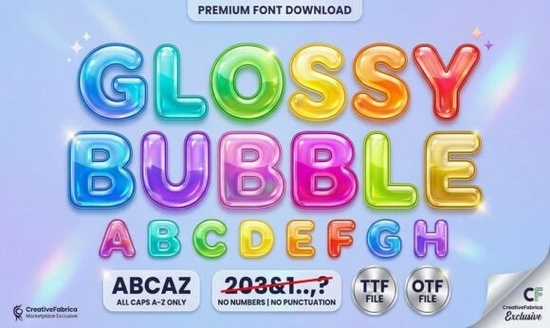
If you are looking for a typeface that instantly grabs attention, Glossy Bubble Font is a strong contender for your next creative project. This display typeface brings a shiny, 3D balloon effect to any design, making it ideal for work that needs to feel friendly and approachable. The plump, rounded letters come with thick outlines and built-in highlight marks, which save you time on adding manual effects in your design software. Whether you are creating stickers for a small business or designing apparel for a print-on-demand store, this font helps your work stand out without requiring advanced illustration skills.
What makes this font suitable for kids' projects?
Designing for children requires a specific visual language that feels safe, fun, and engaging. The cheerful, hand-drawn feel of this bubbly font aligns perfectly with those needs. The rounded edges avoid any sharp or aggressive lines, which subconsciously signals playfulness to the viewer. When you are making party invitations, classroom decorations, or labels for kids' products, readability is key. The thick outlines ensure the letters remain legible even when printed on colorful backgrounds or scaled down for small items like cupcake toppers.
Additionally, the built-in highlight marks give the text a glossy finish automatically. This means you do not need to spend extra time adding layer styles in Photoshop or Illustrator to make the text pop. You can focus more on the layout and illustrations. For crafters using cutting machines, the thick strokes are generally sturdy enough to be cut from vinyl or cardstock without losing detail. This reliability makes it a practical choice for physical goods as well as digital downloads.
How can you use this for print-on-demand?
Print-on-demand sellers often need designs that look good on various materials, from cotton t-shirts to mugs. Because this font features thick outlines, it translates well to screen printing and direct-to-garment processes. Thin fonts can sometimes disappear or look jagged on fabric, but a display font with substantial weight holds its shape. It works particularly well for lighthearted projects like summer camp shirts, birthday party gear, or fun slogans on tote bags.
When pairing this typeface with graphics, keep the surrounding elements simple. Since the letters themselves have a 3D effect, busy backgrounds can make the design look cluttered. Solid colors or subtle patterns work best to let the shiny text take center stage. If you are exploring different vibes for your store, you might consider bold, sporty lettering for a more athletic look, but for pure fun, the bubble style remains a top choice. Always check the licensing terms before uploading designs to ensure commercial use is allowed for physical products.
Are there similar styles available to explore?
While this specific font offers a unique glossy finish, you might want to build a library of similar display typefaces for different clients. Variety helps you tailor designs to specific brand identities. For example, if you need something with more vibrancy for a summer collection, you could look into bright and cheerful alternatives. Sometimes a project requires a softer touch, and in those cases, browsing through other rounded typefaces can give you more options regarding weight and spacing.
Not every project benefits from a shiny look. If you are working on a brand that needs a retro or worn aesthetic, textured vintage styles might serve you better than a clean 3D effect. On the other hand, if your target audience is looking for something trendy and fashionable, trendy preppy designs often utilize clean, stylish lettering that complements a bubble font well. Having a mix of these styles in your toolkit allows you to say yes to a wider range of design requests.
What technical details should you check before downloading?
Before adding any new typeface to your collection, verify the file formats included. Most modern fonts come in OTF or TTF formats, which work across Windows and Mac systems. Ensure the font supports the characters you need, such as international accents or specific punctuation marks, especially if you plan to sell designs globally. Another critical factor is the license. Some creators allow unlimited commercial use, while others restrict the number of physical items you can sell.
Installation is usually straightforward, but always restart your design software after installing new fonts so they appear in your list. If you are using web-based tools, check if the font is available for web use or if you need to upload the file directly. Keeping your font library organized helps you find the right style quickly when deadlines are tight. Create folders based on style, such as "Script," "Serif," or "Display," to streamline your workflow.
Quick Checklist for Using Display Fonts
- Check Licensing: Confirm you have the right to use the font for commercial products.
- Test Legibility: Print a sample at actual size to ensure the outlines are clear.
- Pair Carefully: Combine with simple sans-serif fonts for body text to avoid visual clutter.
- Verify Characters: Ensure all necessary letters and symbols are included in the file.
- Organize Files: Keep your downloaded font files backed up in a dedicated folder.
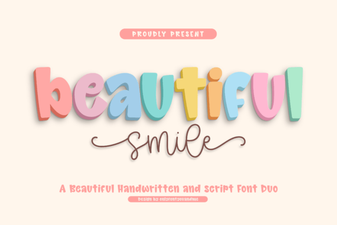 Font Styles for a Beautiful & Creative Typographic Smile
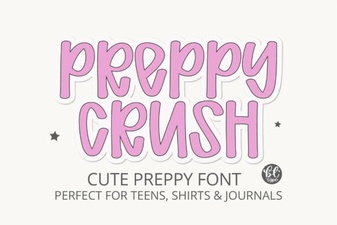 Preppycrush Font for Bold Graphic Designs
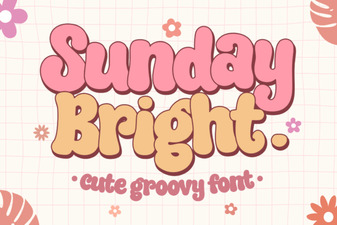 Sunday Bright: Bold & Cheerful Typography Projects
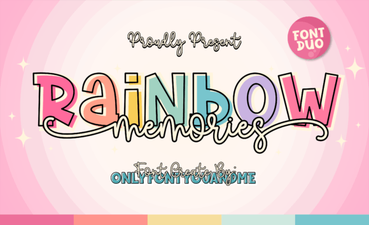 Rainbow Memories Font for Design Projects
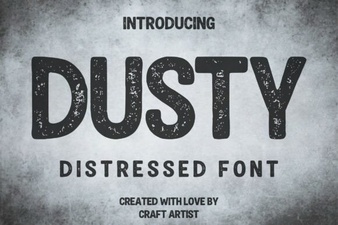 Fonts That Feel: Using Dusty for Your Design Projects
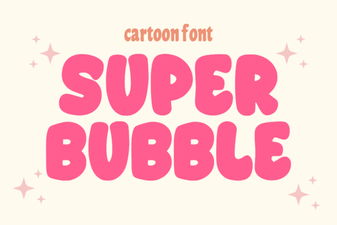 Super Bubble Fonts: Creative Typography for Designers